Maintenance tracking, for anything you run
Know what's due before it breaks down.
Whatever you're keeping running — a fleet of trucks and heavy equipment, a boat and camper, or just the mower out back — Fleet Plus USA tracks the hours, the miles, and all maintenance, so nothing gets missed.
Maintenance due
Fleet
Sample company shown for illustration
Who it's for
If it has a meter, it belongs on the board.
A single maintenance-tracking solution — scaled for any size fleet from a two-car garage to a two-hundred-truck fleet.
Fleets & contractors
Trucks, graders, and heavy equipment tracked across an entire crew, from the yard to the job site.
Landscaping & grounds
Mowers, trimmers, and trailers that rack up hours fast — with service intervals that track automatically.
Boats & RVs
Engine hours and service intervals that carry over trip to trip, so nothing gets skipped between seasons.
Home & garage
One machine or ten — oil changes, filters, and tune-ups for the stuff in your own garage, on your own schedule.
What's on the board
Everything a shift needs to keep equipment running.
Work orders
Open a job, attach photos or a PDF, run a procedure's checklist, and mark it as completed.
Meters & reminders
Log hours or mileage readings in seconds — every reminder and warranty tied to that asset updates its countdown automatically.
Asset history
Every truck and machine keeps its own file: make, model, photos, warranties, and every work order it's ever had.
Outside service, still on file
Had the dealership or another shop do the work? Upload the invoice or photo to that asset — every service stays in one history, no matter who did it.
For DOT-regulated trucks and trailers
DOT pre-trip and post-trip inspections, built in.
No more paper pre-trips. Drivers fill them out on their phone at the truck, problems go straight to the shop, and every signed report is kept on file.
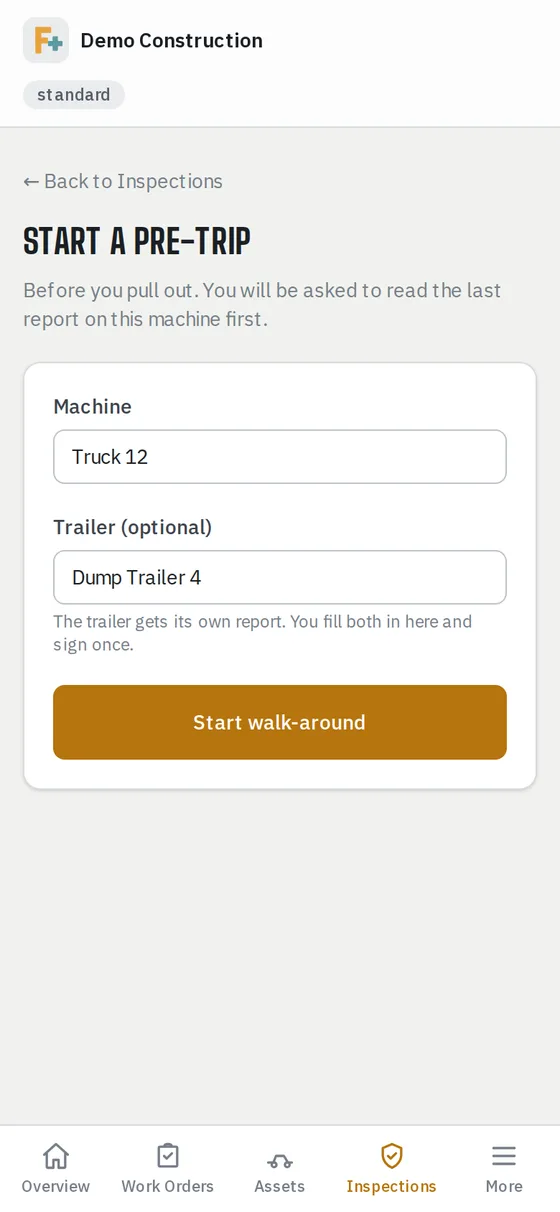
Start a pre-trip
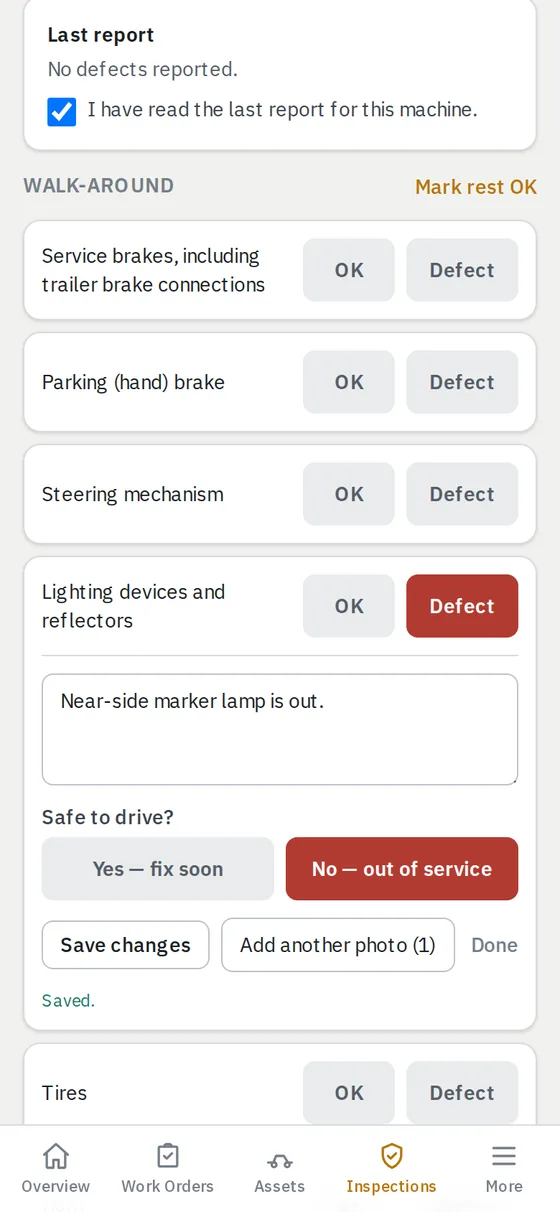
Tap Defect, add a photo
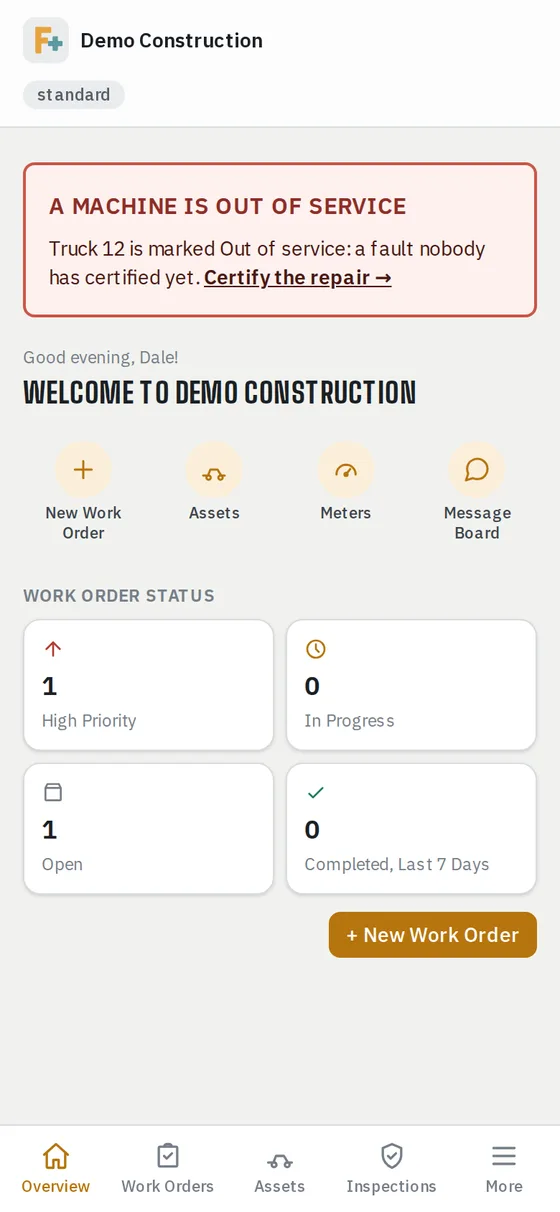
Out of service, flagged everywhere
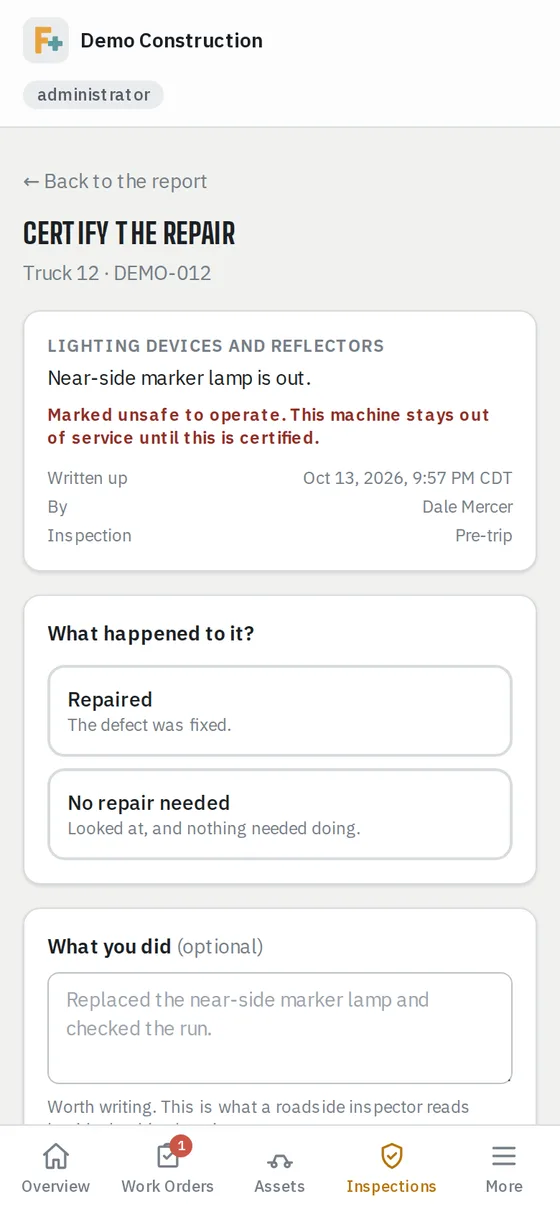
A mechanic signs off
Watch the 71-second walkthrough
One walk-around, two reports
A truck and the trailer behind it are one trip around the rig for the driver. They come out as two reports, because the rule is written per vehicle — each one saying what it was hooked to.
The federal items stay put
The eleven items 49 CFR 396.11 names are on the truck list and can't be renamed, reordered or deleted — not by a driver, not by an administrator. The trailer list's federal items are locked the same way. Add your own alongside them; the federal ones don't move.
A defect turns into a work order on its own
The driver taps Defect, says what's wrong in their own words, and adds a photo. Filing the report opens the work order. Nobody has to remember to tell the shop.
Out of service reaches your administrators immediately
Answer “No — out of service” and the machine is flagged red on everyone's dashboard, and your administrators get an email the moment the report is filed. Not overnight. A parked truck can't wait for a nightly job.
A mechanic signs off, and the next driver sees it
A machine stays out of service until somebody who fixes things certifies the repair. Only the people you trust with repairs can sign one off. The next pre-trip shows the last report and the sign-off, which is what 396.13 asks the driver to review.
A report you can hand over at the roadside
Pull up the last filed report for any machine, with your company name, address and USDOT number on it, and the out-of-service flag if there is one. Print it or hand over the phone.
Heavy equipment gets its own list
Excavators, dozers and loaders usually aren't commercial motor vehicles, so they don't carry the federal list. They get their own checklist you control completely, walked and filed the same way.
A filed report is final
Once a report is filed, nobody at your company can edit or delete it, not a driver and not an administrator. Corrections are added as notes and the original stays. That's what makes it a record.
Built around the FMCSA inspection rules (49 CFR 396.11 and 396.13). You're still responsible for your own compliance program.
Access, matched to the job
Not everyone needs the same keys.
Every person on the account gets assigned one of three roles — set once, enforced everywhere. Running it solo? You're just the administrator.
Runs the shop
- Invites the team and sets roles
- Full editing capability for assets and work orders
- Company branding and audit log management
Works the queue
- Creates and completes work orders
- Logs meter readings
- Posts to the shared message board
Flags what needs attention
- Submits work order requests
- Ability to view assets and work order statuses
- Reads the equipment manuals
- Logs meter readings
Talk to a person
Questions about which plan fits, or what it will and won't do? Email sales@fleetplususa.com and you will get a real answer from somebody who has run this equipment.
Already a customer and stuck on something? support@fleetplususa.com.